
Account and billing
How to Update Payment Info in My Patient Portal
Updated Aug 28, 2026From the Belle care team
- Go to the patient portal and sign in.
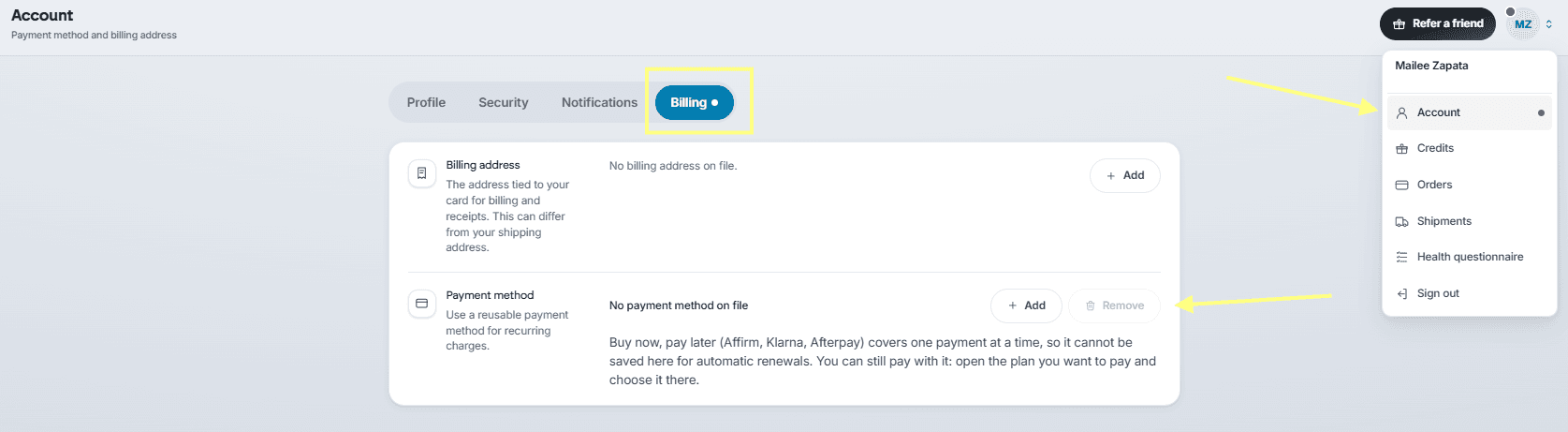
- In the top right corner, click the person icon and select Account from the dropdown.
- From there, you will see a Billing section, where payment methods can be added and removed.
If you recently moved to Belle's new portal: payment details did not transfer in the move, so adding your card here is expected — it is what keeps your treatment on schedule.
Was this article helpful?