
Account and billing
How to Edit my Demographics in the Patient Portal
Updated Aug 28, 2026From the Belle care team
- Navigate to the patient portal and log in.
- Click the top right corner where your person icon is and click Account.
- Under the Profile tab, you can edit your name, email, phone number, and shipping address.
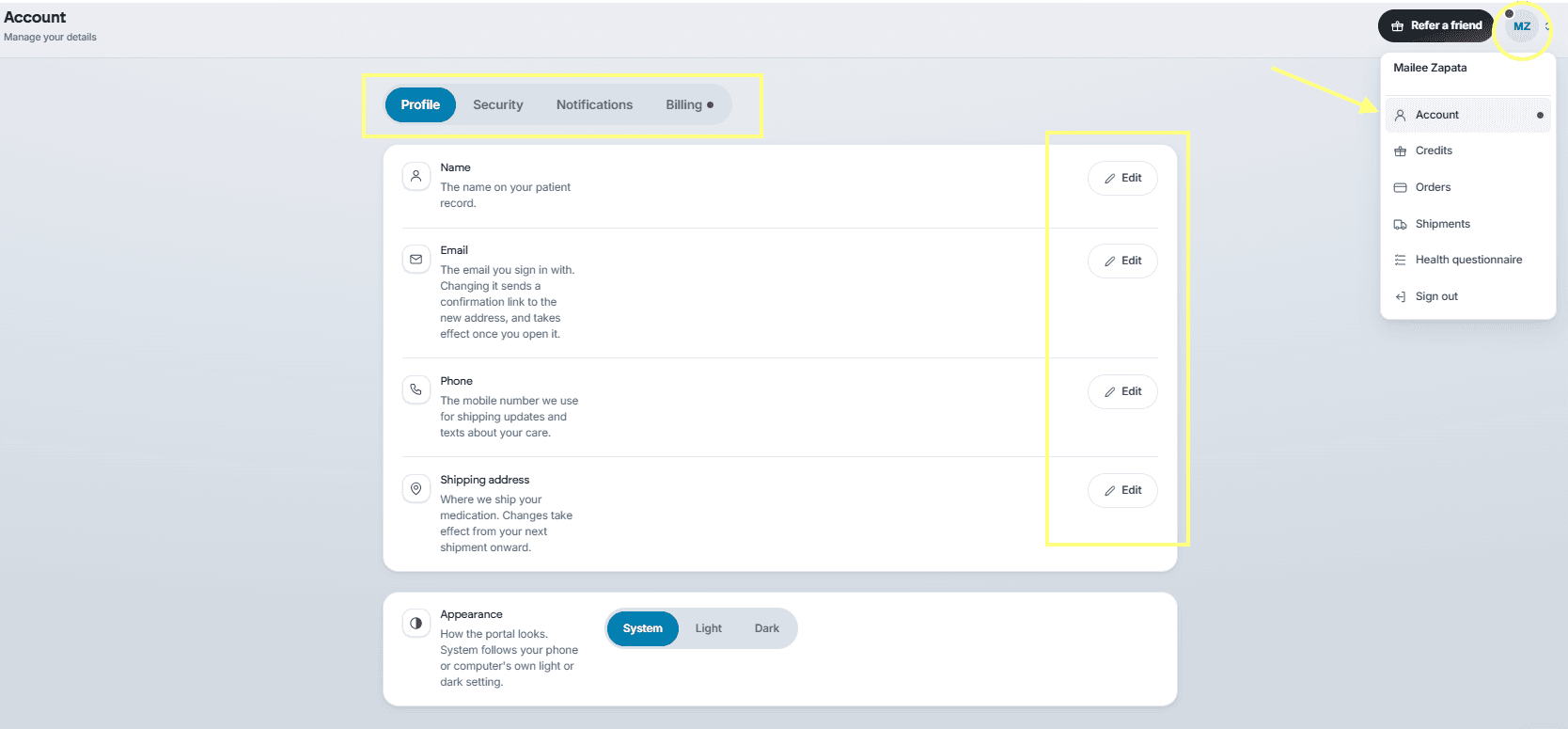
- Under the Security tab, you can edit or set a password.
- Under the Notifications tab, you can set preferences and reminders.
- Under the Billing tab, you can change or edit a payment method and your billing address.
Was this article helpful?