
How to pause, resume, restart, or cancel your plan or subscription
From the Belle care team · Updated
You can pause, resume, or cancel your plan yourself in the patient portal, anytime. No call or email is needed. This guide shows you where each option lives and what happens when you use it.
Find your plan controls
- Sign in to your patient portal.
- Select Treatments (on a phone, tap My Plan at the bottom of the screen).
- Under Your plans, select Manage next to your treatment.
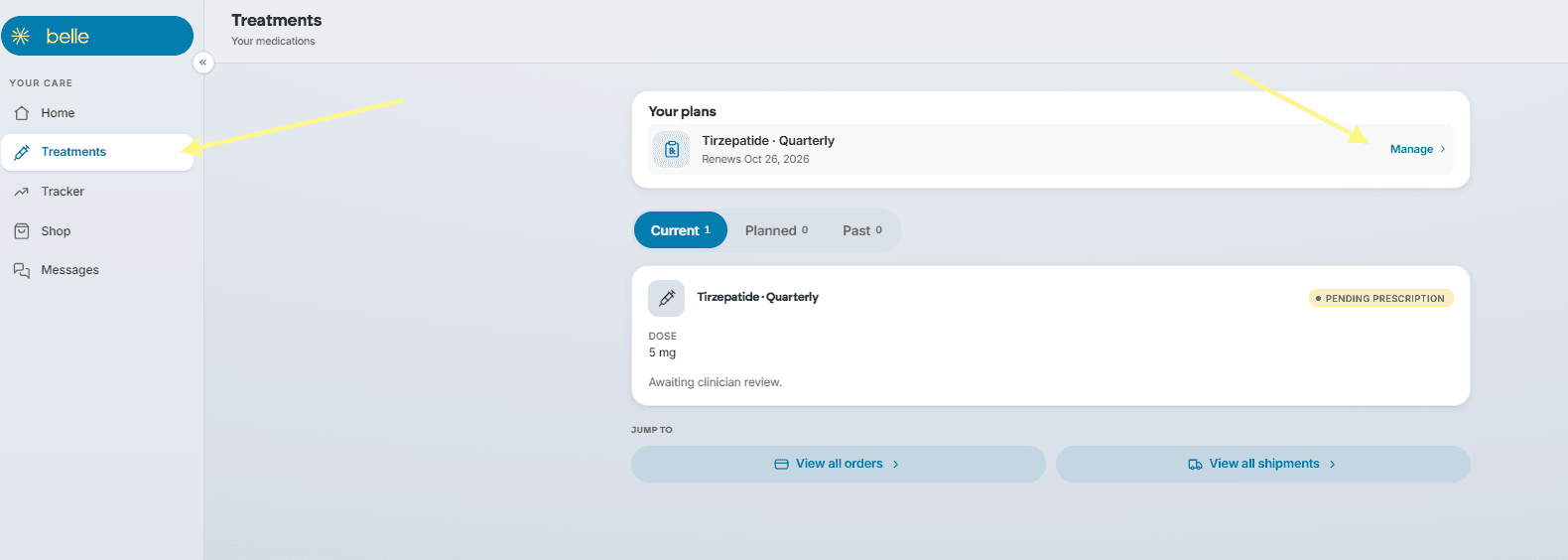
Your plan controls sit at the top of the Plan section. On smaller screens, some of them are tucked under More.
Pause your plan
- Select Pause plan.
- Choose a reason from the list (this helps us improve). If you pick Other, add a short note.
- In the Pause this plan? window, select Pause plan (or Keep plan active to back out). You'll see Your plan is paused.
What pausing does: billing stops and your upcoming shipments are held. Anything already with the pharmacy still arrives. Your plan stays paused until you resume it, and you can resume anytime. You don't need a card on file to pause. You'll add one when you're ready to resume. Any promo code on your plan stays on while it's paused and still applies when you resume.
Good to know: your care team is still here while your plan is paused. Your account stays open, and you can message us in Messages anytime.
Resume your plan
- Select Resume plan on your plan page, or on your plan card on the Home page.
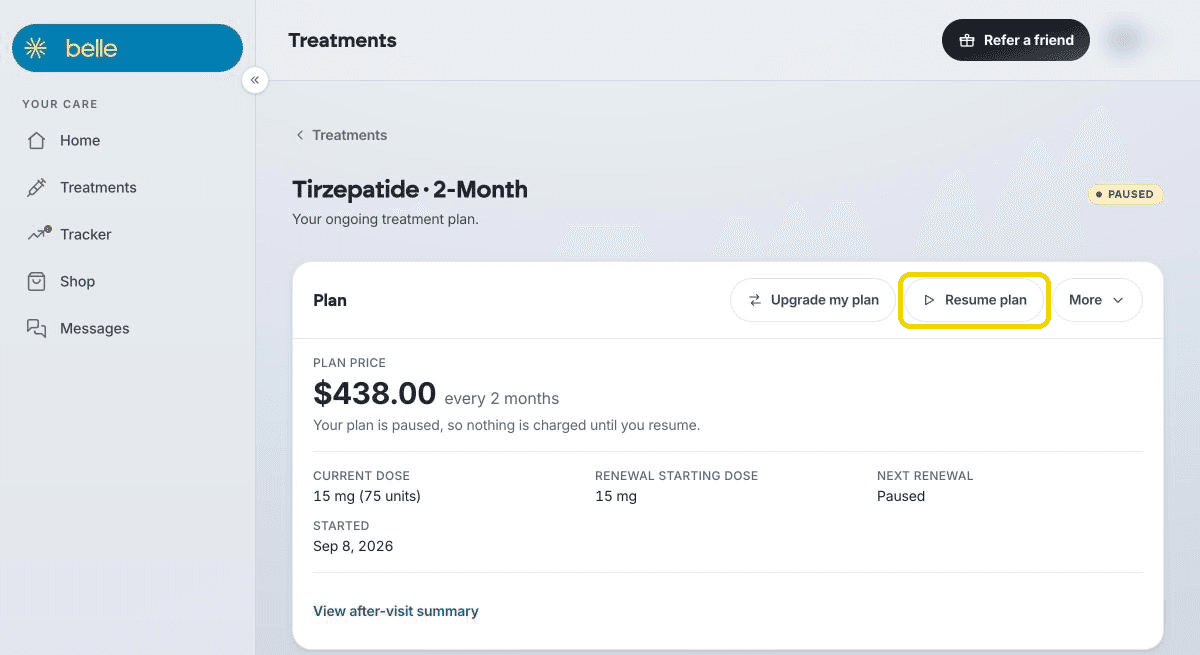
- Pick the day you want your next shipment sent to the pharmacy. The rest of your schedule moves with it, and the preview shows your new renewal date.
- Select Resume plan. You'll see Your plan is active again.
Need a date you can't pick? Select Message us in that window. If a paid shipment is still being prepared, there's no date to pick: it ships as soon as it's ready, and your renewal date doesn't change.
Cancel your plan or subscription
- Select More, then Cancel plan.
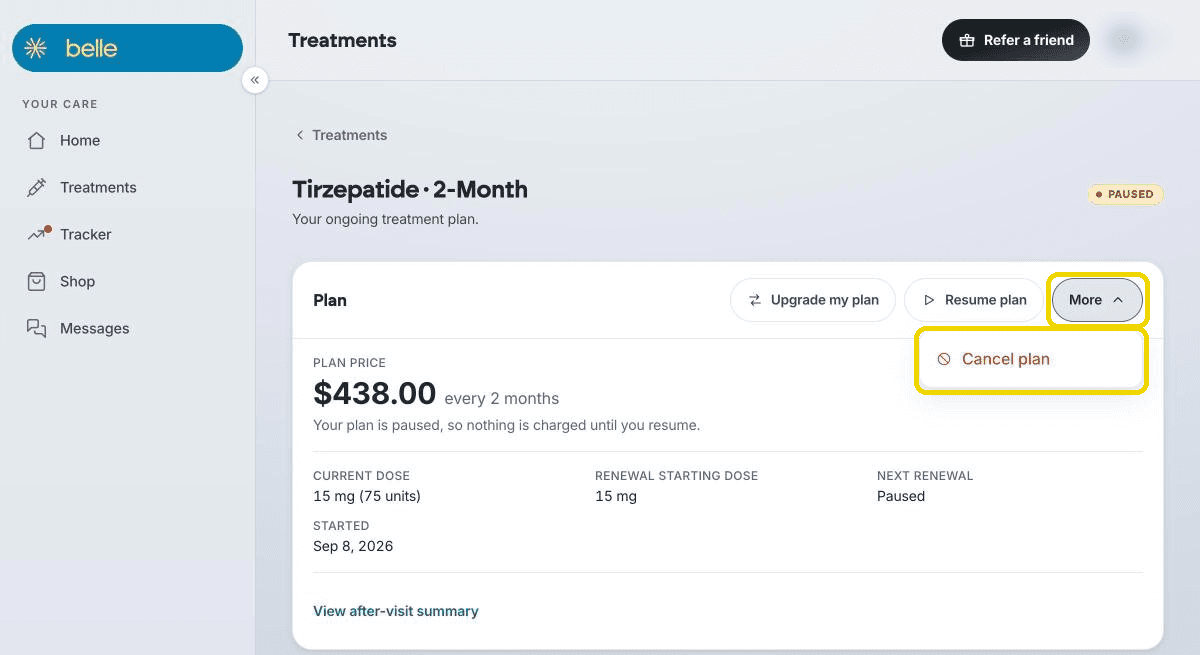
- Choose a reason for leaving.
- In the Cancel this plan? window, choose a reason from the list, then select Yes, cancel plan (or Keep plan to back out). On some plans you'll see Continue here instead.
- If we then ask Before you go, can we help?, choose Yes, have someone reach out, keep my plan to have our team look at your plan with you, or Just cancel my plan to finish cancelling.
What cancelling does: billing stops and your plan won't renew again. Anything you've already paid for still ships. For example, if you're two months into a six-month plan you paid for up front, your shipments keep arriving through month six, and the plan just doesn't renew after that. Upcoming shipments you haven't paid for are cancelled. Cancelling can't be undone in the portal, though you can always start a fresh plan later.
Once an order has been placed, it can't be cancelled, returned, or refunded, because federal regulations prohibit returns on prescription and compounded medications.
After you cancel, your portal stays yours
Cancelling never touches your login or your records. You can still sign in to review your information, and you can remove your saved payment method once you have no plans set to renew.
Restart after cancelling
- Sign in and select Shop.
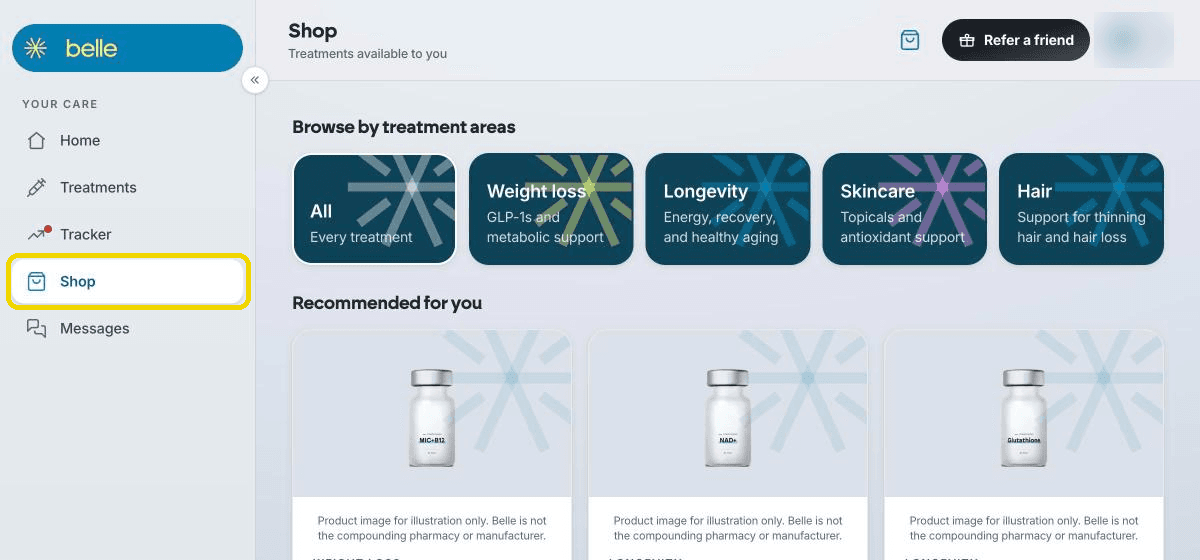
- Find the treatment you'd like to start again.
- Select Renew plan (or Add to cart) and follow the next steps.
Before you cancel
If you're cancelling because you have extra medication on hand, you may not need to cancel at all. You can move your next shipment date instead and keep your plan and pricing: select Adjust renewal on your plan page. See How to delay, skip, reschedule, or change your next shipment date.
Need help? Contact our care team and we'll help.
More in Account and billing
- What financing options are available?
- Refunds and unexpected charges
- How and when you're billed and charged
- Can I use my HSA or FSA to pay for Belle?