
How to delay, skip, reschedule, or change your next shipment date
From the Belle care team · Updated
If you have extra medication on hand, or you just want your shipment to land on a different day, you can move your renewal date yourself in the patient portal. To delay or skip a shipment, pick a later date. Your shipments and billing move together, so nothing gets out of sync.
Open your plan
- Sign in at portal.joinbelle.com and select Treatments (on a phone, tap My Plan at the bottom of the screen).
- Under Your plans, select Manage next to your treatment. You can also select Manage plan on your plan card on the Home page.
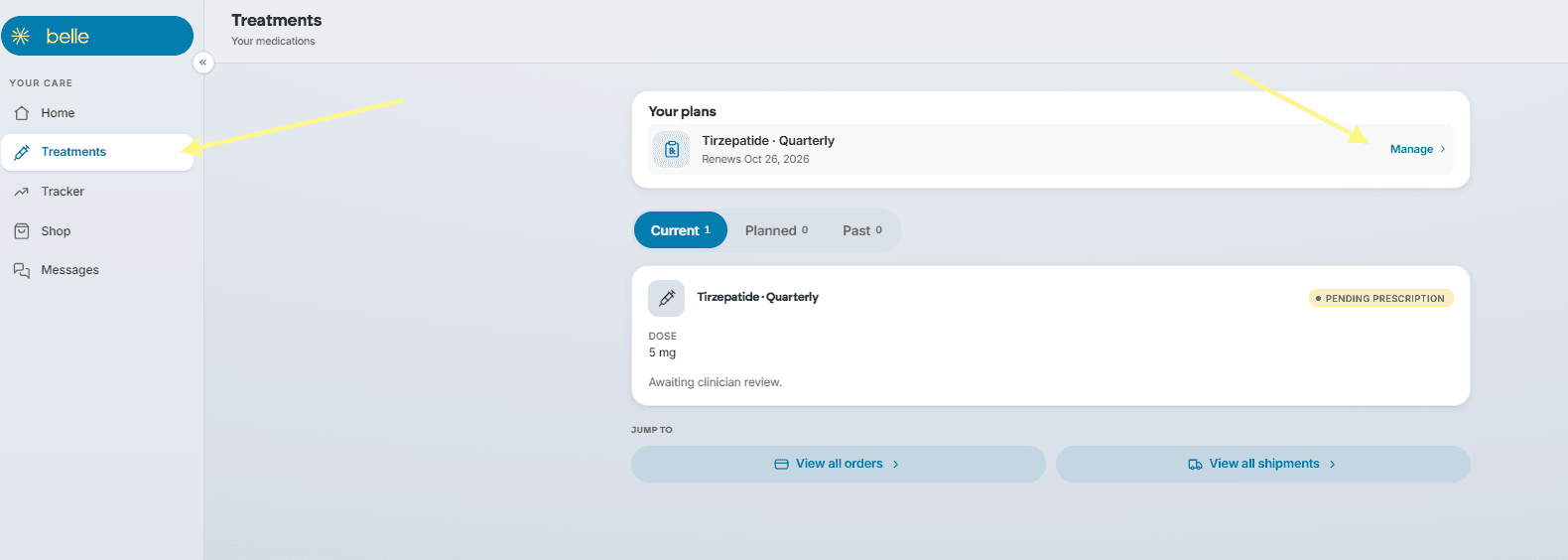
Your plan controls sit at the top of the Plan section. On smaller screens, some of them are tucked under More.
Pick a new date
- Select Adjust renewal. If you don't see it, select More.
- A panel opens where you can change your renewal date (or your shipment date, if a shipment is already scheduled). Pick any day from today up to 180 days out.
- Check the preview. It shows where any scheduled shipments move and when your next renewal begins.
- Select Review renewal.
Confirm your change
- Check your date, shipping address and payment method. You can change the address or payment method from this screen.
- Select Confirm and pay on (the button shows your new date).
- You'll see Your schedule is updated.
If you pick today, you'll be asked to pay for your renewal right away instead.
Good to know
- Need a date the calendar won't let you pick? Select Message us under the calendar and we'll help.
- If your next renewal is already paid for, you can only move it to a later date.
- A shipment that's already with the pharmacy isn't moved. Date changes apply to upcoming shipments only.
- If your plan card on the Home page says your renewal is on hold until you answer a quick check-in, select Answer check-in first. We won't charge you or create your next shipment until you answer it.
How auto-renew works
Your plan renews automatically so your treatment continues without a gap. There's no switch to turn auto-renew off. If you're not ready for your next shipment, move your renewal date later (see above) or pause your plan.
When your card is charged
The date shown as Next renewal on your plan is the day your card is charged. We charge a few days before your next supply is due, which gives the pharmacy time to fill and ship your order so it reaches you on schedule.
If you paid for your full plan up front, you won't be charged again until your plan renews at the end of the term.
Get billed on the same day every month
- While you're changing your date, tick Bill me on this day every time before you select Review renewal.
- Or, on your plan page, select Set a billing day (it may be under More), pick a day, then select Save billing day. This sets the day your card is charged without moving your current renewal. If you've already set one, the button says Change billing day.
Need a longer break, or want to stop?
- To hold billing and shipments until you're ready, select Pause plan.
- To end your plan, select More, then Cancel plan.
For both, including how to resume, see How to pause, resume, restart, or cancel your plan or subscription.
Need help? Select Messages in your portal (on a phone, tap the chat bubble) and we'll help.
More in Shipping and delivery
- What should I do if I received the wrong medication or dose?
- Why your plan arrived in more than one box
- How to renew early or pause your plan
- What if my package is lost, stolen, or I need to change the address?