
How to get a receipt or invoice (HSA / FSA)
From the Belle care team · Updated
You can download a printable receipt for any paid order yourself, for HSA or FSA reimbursement, insurance, taxes, or your own records.
Download a receipt
- Sign in, select your initials in the top right, then select Orders.
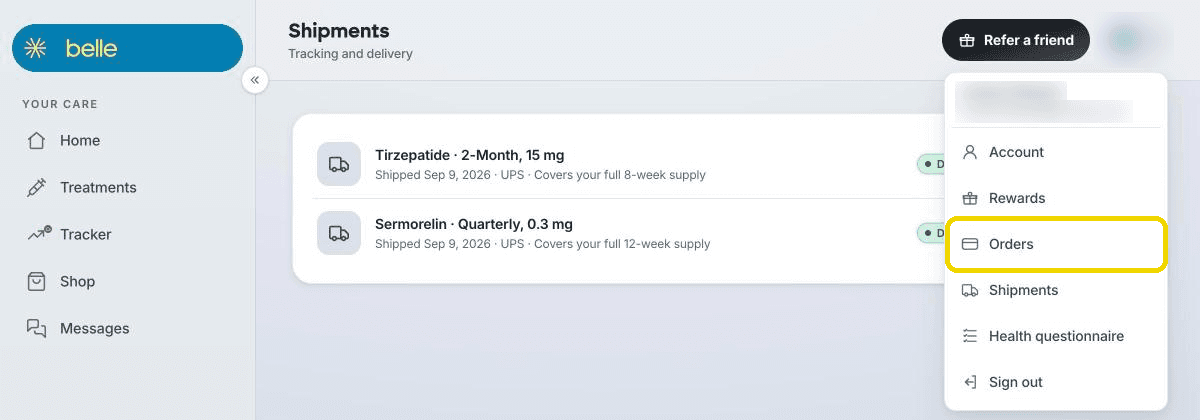
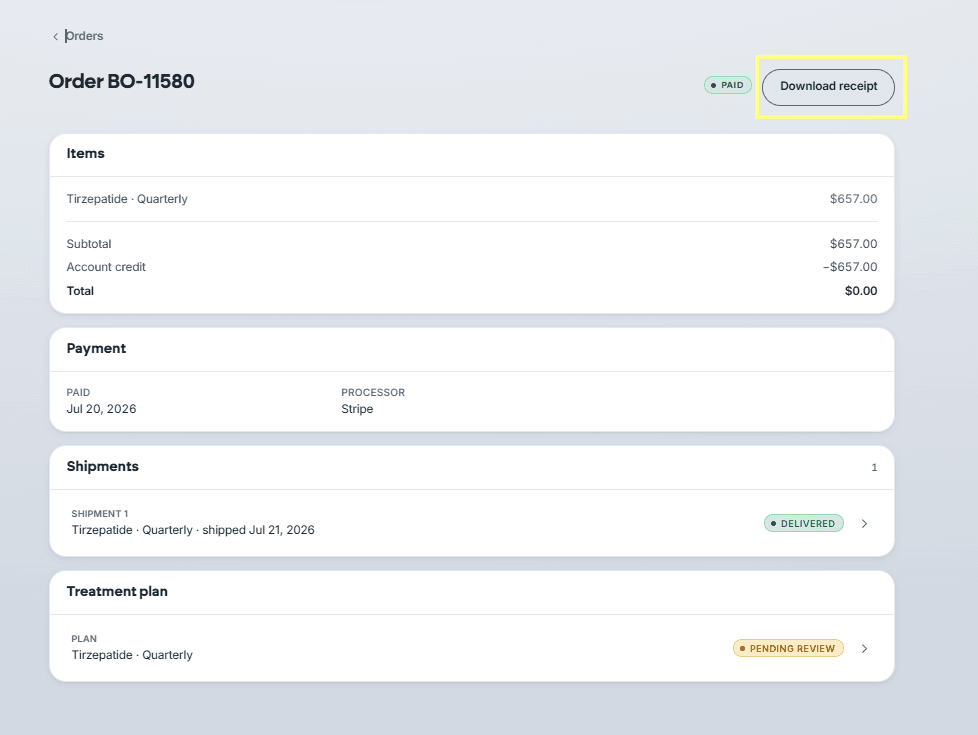
- Find the order you need and select View details.
- At the top of the page, select Download receipt. A printable receipt opens that you can print or save as a PDF.
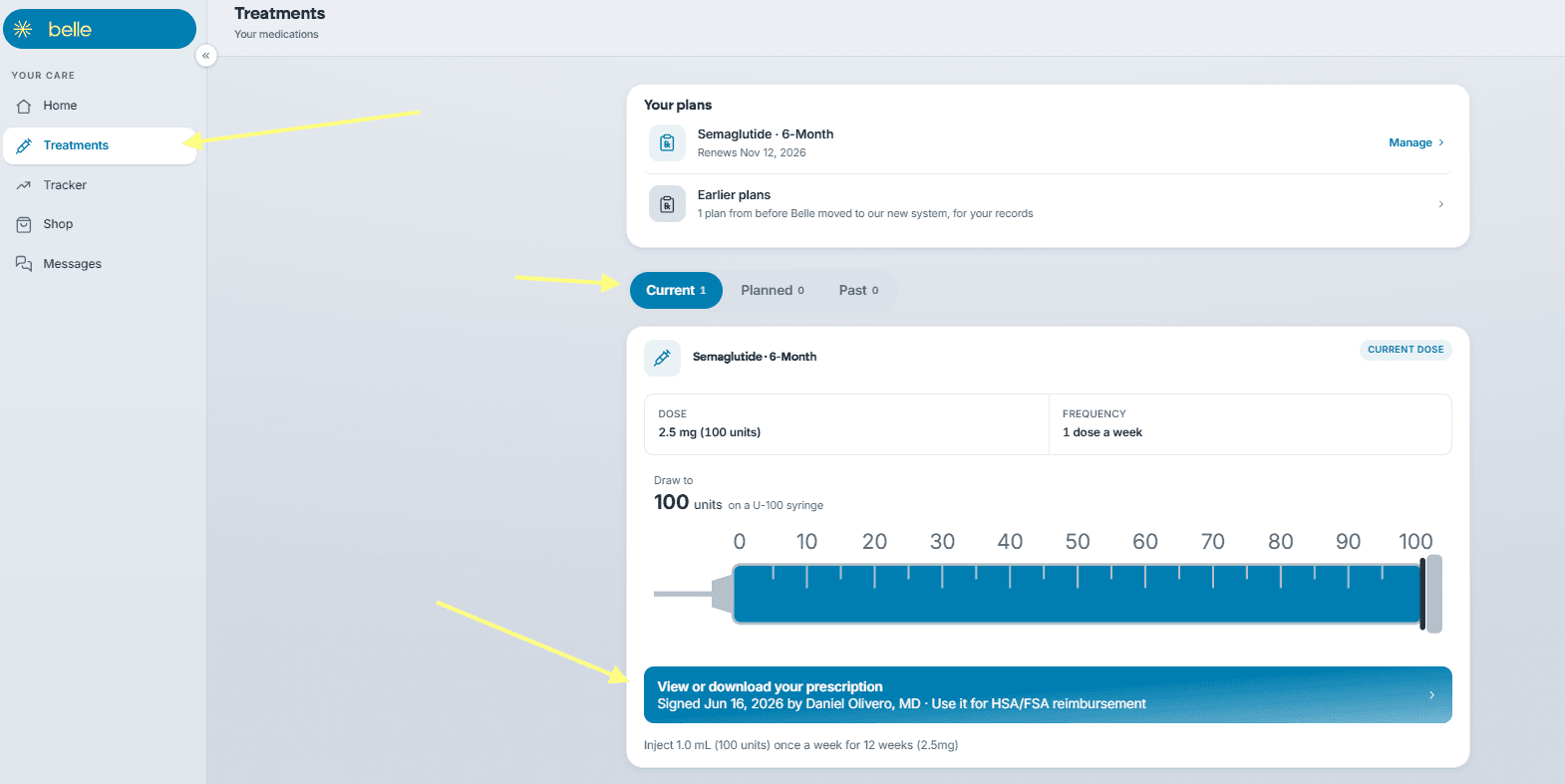
Need your prescription document too?
Some HSA and FSA administrators ask for the prescription along with the receipt.
- Select Treatments (on a phone, tap My Plan).
- Below Your plans, open the Current tab.
- Select View or download your prescription.
Receipts for older orders
Your past orders came across when Belle moved to this portal, so most receipts are on the Orders page under Earlier orders. If you need a receipt or invoice for an older order and can't find it, message us and we'll get it to you.
Related
For how to pay with an HSA or FSA card, and what to do if yours is declined, see Can I use my HSA or FSA to pay for Belle?
Need help? Select Messages in your portal (on a phone, tap the chat bubble) and we'll help.
More in Account and billing
- Refills, reorders, and renewals: how your next shipment works
- How to edit your demographics in the patient portal
- How does Belle protect my health information, and how do I get my records?
- How do Belle Gift Cards work?